WebCatalog
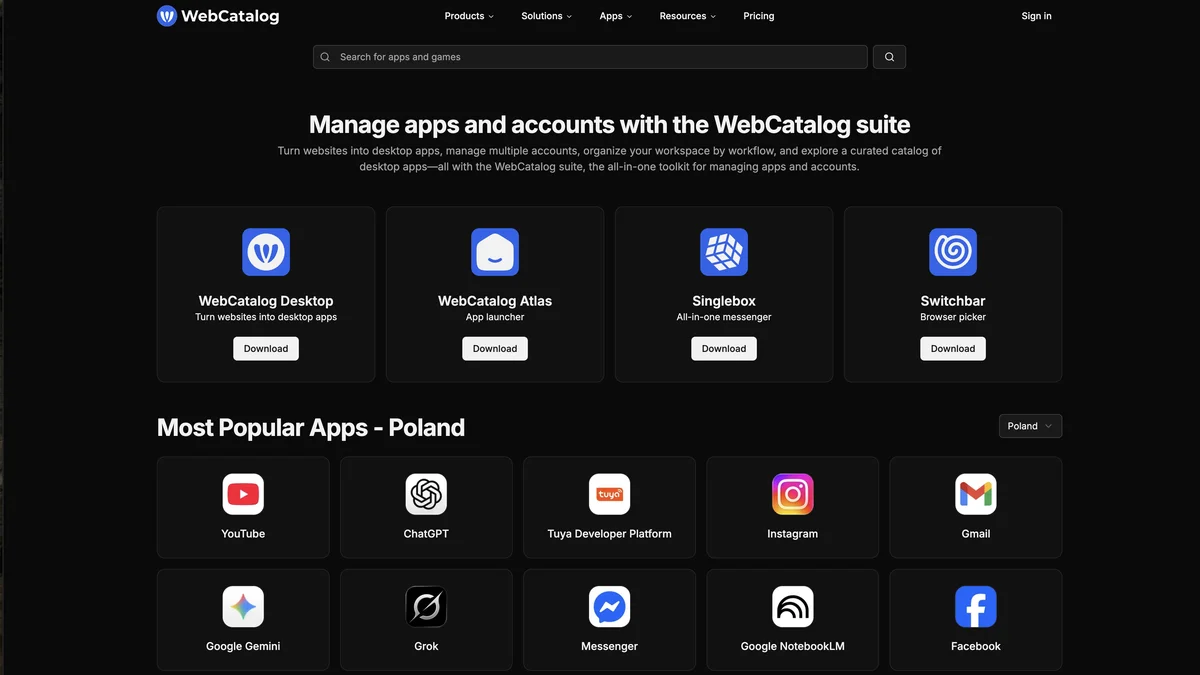
WebCatalog is a toolkit for managing multiple web apps and accounts, organizing workflows, and turning websites into desktop applications.
About WebCatalog
WebCatalog provides an all-in-one toolkit designed to streamline digital workflows. Users can manage numerous web applications and accounts efficiently from one place. The platform allows for workspace organization based on specific workflows. Furthermore, it enables users to transform any website into a dedicated, installable desktop application. It also features a curated catalog of powerful tools for discovery.
Key Features
Desktop Application Wrapper
WebCatalog allows users to turn any website into a standalone, native desktop application, complete with its own icon and window, separate from the main browser.
Multiple Account Management
It facilitates running multiple instances of the same web application (e.g., different Gmail or Slack accounts) side-by-side without needing separate browser profiles or incognito windows.
Workflow Organization
Users can organize their web apps into custom workspaces or categories, improving focus and reducing clutter from traditional browser tabs.
Customization and Theming
WebCatalog offers options to customize the appearance of the wrapped applications, including themes and icon changes.
Offline Access Capabilities
For certain web apps, WebCatalog can cache data, offering limited functionality or access even when the internet connection is temporarily unavailable.
Use Cases
Consolidating Work Tools
Professionals can gather all their essential SaaS tools (like project management, communication, and CRM) into one organized desktop environment instead of juggling dozens of browser tabs.
Managing Multiple Client Accounts
Agencies or freelancers can easily switch between different client instances of platforms like social media schedulers, email clients, or analytics dashboards using dedicated desktop apps.
Creating Focused Work Environments
Users can create specific desktop environments dedicated to a single project or role, ensuring that only relevant web applications are running and accessible.
Reducing Browser Overhead
By moving frequently used web apps to dedicated desktop wrappers, users can reduce the memory and CPU load associated with running numerous tabs in a standard web browser.
Personalizing Web Experiences
Individuals can customize the look and feel of their favorite web services by applying custom themes or icons, making them feel more like native software.
Frequently Asked Questions
How is WebCatalog different from using a standard browser?
WebCatalog wraps websites into dedicated, native desktop applications that run outside the main browser window, offering better isolation, dedicated resources, and easier multi-account management compared to standard browser tabs.
Is WebCatalog free to use?
WebCatalog operates on a freemium model; a basic version with core functionality is available for free, while premium features, such as advanced customization or enterprise options, require a paid subscription.
Can I use WebCatalog on Mac, Windows, and Linux?
Yes, WebCatalog is designed to be cross-platform, providing native application wrappers for major operating systems including macOS, Windows, and Linux.
Does this tool require me to install the original website's software?
No, WebCatalog functions by using a lightweight Chromium-based engine to run the website itself as an application; it does not require installing separate native software for each service you wrap.
Can I sync my settings across different computers?
Syncing capabilities often depend on the specific subscription tier and the nature of the web application being wrapped, but the platform itself manages the application wrappers locally.